Automate or Die: Scaling Your Startup with the Robot Mindset
Manual work is not always bad, but repeated manual work is often a hidden tax on growth. This guide shows how to decide what to automate, what to keep human, and how to use no-code workflows and AI without creating brittle operational chaos.

Strategy Framework: The Automation Audit Grid

Automation is often discussed as a productivity hack, but for startups it is more than that. It is a leverage system. The right automations reduce response time, protect attention, remove repetitive errors, and let the team spend more energy on judgment-heavy work. The wrong automations create brittle workflows, invisible failure points, and a false sense of scale.
We use the Automation Audit Grid to make better decisions about what deserves automation and what should remain manual. The point is not to automate everything. The point is to automate what compounds.
The Quadrants
High Frequency / Low Complexity (Quick Wins): Tasks repeated constantly with predictable logic, such as syncing forms to CRMs, updating spreadsheets, routing alerts, or sending standard confirmations.
High Frequency / High Complexity (AI-Assisted Work): Tasks that happen often but involve categorization, summarization, prioritization, or language generation. These often benefit from AI plus human review.
Low Frequency / Low Complexity (Ignore Zone): Tasks too infrequent to justify the build or maintenance cost of automation.
Low Frequency / High Complexity (Human Judgment Zone): Strategic work where automation may support analysis but should not replace accountability.
What Makes Automation Worth It
Good automation usually has at least one of these properties:
Why Founders Misuse Automation
Founders misuse automation in two opposite ways. Some automate too late and let operational drag become normal. Others automate too early and build elaborate systems for processes that are not yet stable. Both mistakes are expensive. The right timing is after the workflow is understood but before the manual cost becomes structural.
The Better Question
Do not ask only, "Can this be automated?" Ask, "Should this be automated now, and what happens if it breaks silently?" That second question protects the company from building workflows that look impressive but are operationally fragile.
The Core Reframe
Automation is not a replacement for thinking. It is a force multiplier for well-designed operations. If the process is broken, automation will usually spread the brokenness faster. If the process is strong, automation can turn consistency into leverage.
Why Workflow Ownership Matters
Every automation needs an owner. If nobody is responsible for checking it, fixing it, and refining it, the workflow becomes operational debt. Founders often underestimate this because successful automations feel invisible. But invisible systems still need stewardship.
How To Choose The First Few Wins
The best early automations are usually not glamorous. They are the things everyone quietly hates: repetitive reporting, lead routing, invoice reminders, onboarding steps, support triage, or calendar coordination. Removing those pains frees up more real energy than building a flashy but low-impact workflow.
The Strategy: Prioritize the workflows that repeat often, slow the team down, and can be standardized safely. The goal is not maximum automation. It is maximum useful leverage with minimum hidden fragility.
Strategy: Adopting the Robot Mindset
Automation is not just a tooling decision. It is a mindset shift. Founders and operators have to stop seeing repeated manual work as an unavoidable feature of startup life and start seeing it as a design problem. That does not mean every inconvenience deserves a workflow. It means repetition should trigger analysis.
The Execution Rules
What The Robot Mindset Looks Like
Teams with a healthy automation mindset ask questions like:
Why Culture Matters
Automation succeeds when teams are encouraged to improve workflows, not just to tolerate them. If employees are punished for changing process or if every automation needs weeks of permission, operational drag accumulates. If employees can surface repetitive work and improve it responsibly, leverage compounds.
The Zero Data Entry Ideal
A useful aspiration is to reduce unnecessary human data entry as much as possible. People should spend time interpreting, deciding, and communicating, not acting as connectors between software systems. That principle often reveals hidden inefficiencies the team has normalized.
The Caution
A robot mindset should not become a dehumanized mindset. Some work should stay human because trust, nuance, or accountability matter more than speed. The goal is not to make people behave like software. It is to stop using people for work software should handle.
The Long-Term Benefit
Teams that think this way become structurally better at scale. They notice waste sooner, document decisions more clearly, and design processes that survive team growth. The operational gain is not only speed. It is resilience.
Why Small Automations Matter
Not every valuable automation is dramatic. Small automations often create the biggest compound benefit because they remove dozens of tiny interruptions that fracture focus all day. That kind of operational quiet is easy to underestimate until the team experiences it.
The Review Habit That Works
The most effective teams do not wait for operations to become unbearable before they automate. They create a routine of noticing drag, documenting it, and improving it before it turns into burnout. That proactive posture is what makes automation a strategic capability instead of a reactive cleanup exercise.
Tactic: Run a weekly automation review. Ask each team member to identify one repetitive task, one unnecessary handoff, and one system gap. Over time, these small changes create a meaningful operational edge.
Execution: Using AI Agents for Decision-Making
Modern automation is no longer just about moving data between tools. AI adds a new layer: interpretation. That makes automation more powerful, but also riskier. Once language models begin classifying, drafting, prioritizing, or summarizing, the workflow is no longer purely mechanical. It starts making judgment-shaped moves.
The AI Workflow
Where AI Helps Most
AI is strongest when the company needs:
Where AI Should Be Used Carefully
AI should be handled more cautiously when:
The Human-In-The-Loop Standard
The best AI automations usually include review gates proportional to risk. Low-stakes categorization may run automatically. High-stakes customer promises, contract interpretation, or financial instructions should usually require human confirmation.
The Operational Mistake To Avoid
Do not treat AI output as truth. Treat it as a draft, a classification guess, or a structured first pass. Teams get into trouble when they outsource accountability while pretending they are only outsourcing effort.
Why Prompt Quality Is Not Enough
Founders often focus on writing a better prompt and ignore the rest of the system. But reliability comes from more than prompt quality. It depends on input quality, fallback behavior, review design, logging, and clear ownership. A smart prompt inside a bad workflow is still a bad workflow.
What Safe AI Automation Looks Like
Safe AI automation usually includes:
The Maturity Standard
An AI workflow is mature when the team can explain not only what it does, but how it fails. That is a useful operating standard because it forces teams to stop treating AI like magic and start treating it like infrastructure.
Tooling: Use lightweight automations for straightforward flows and more configurable workflow platforms for branching logic, retries, review steps, and monitoring. The value of AI automation comes not only from generation quality, but from how safely it is embedded into the surrounding system.
Case Study and Pitfalls: The Solo-Founder with 1,000 Customers
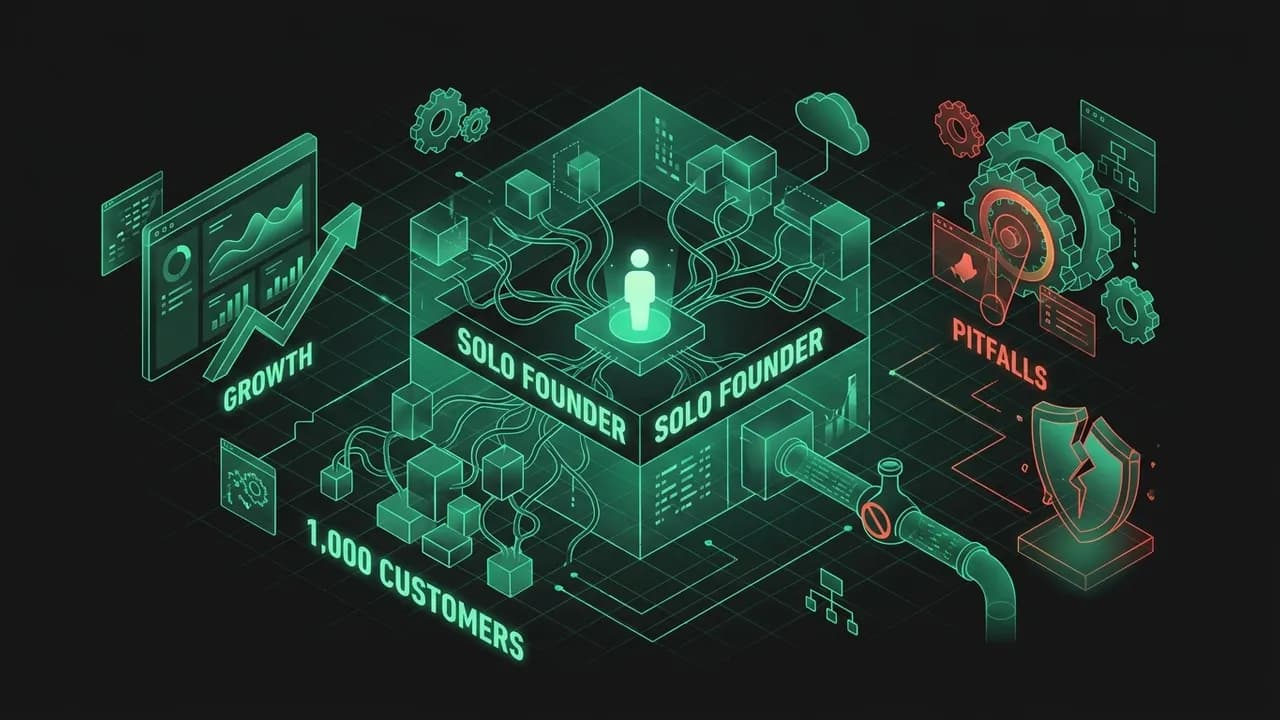
Case Study: The Automation-First SaaS
A solo founder built a niche software product and realized early that growth would stall if every customer interaction required personal handling. Rather than hiring immediately, the founder mapped the support, onboarding, billing, and reporting workflows and automated the predictable portions. Customers still received real outcomes, but repetitive internal effort dropped dramatically. The business gained leverage without pretending to be bigger than it was.
The lesson is not that every startup should avoid hiring. It is that founders should understand where human effort creates value and where it merely patches operational inefficiency. Automation works best when it removes low-value repetition while keeping high-trust moments intentional.
The Automation Pitfalls
Rube Goldberg Over-Automation: Building long, fragile chains that are hard to debug and easy to break. Fix: prefer modular, understandable workflows over clever complexity.
Garbage In, Garbage Out: Automating a workflow before the inputs, rules, or ownership are clear. Fix: stabilize the manual process before scaling it.
No Monitoring: Teams assume the workflow is running until customers complain. Fix: add alerts, logs, and visible failure states.
Removing Humans From The Wrong Moment: Some support, sales, or operations steps need human trust and judgment. Fix: automate selectively, not ideologically.
Tool Sprawl: The company adds disconnected automations without governance. Fix: document what exists, what it does, who owns it, and what happens when it fails.
What Mature Automation Looks Like
Mature automation is not hidden magic. It is documented, monitored, and owned. The team knows which workflows exist, what they trigger, where the failure points are, and how to intervene when something breaks. This is what turns automation from a founder hobby into operational infrastructure.
The Real Goal
The real goal is not to prove that a company can run on robots. It is to make sure humans are spending their limited attention where judgment matters most. Good automation protects energy, speed, and consistency. Bad automation simply hides mess until the mess becomes expensive.
The Governance Layer
As companies add more automations, they need governance: naming conventions, documentation, audit logs, access controls, and change ownership. Without that layer, the workflow library becomes difficult to trust. With it, automation becomes a durable operating asset.
Another Operational Truth
The company should periodically prune old automations. Workflows that solved last year’s bottleneck may no longer fit today’s process. Mature operations teams do not only build automations. They also retire them when they stop serving the business.
Practical Operations Questions
Ask these before building the next workflow:
The Final Principle
Automation is valuable when it increases clarity, consistency, and leverage without reducing accountability. The best systems do not remove humans from the business. They remove humans from the least valuable repetition so the company can think, respond, and grow faster. Quiet systems often scale best. Strong systems fail visibly, not silently. Reliability compounds operational trust. Documentation makes automation survivable. Good systems stay observable. Teams scale through disciplined systems. Operational calm is strategic too. Trust grows with reliability.
Key Takeaways
Map every recurring task on the Automation Audit Grid before building anything; automate high-frequency, low-complexity work first.
Stabilize the manual process before you automate it, or you will scale the mistakes faster.
Every automation needs a named owner, monitoring, and a visible failure alert, or it becomes operational debt.
Use AI for triage, summarization, and drafts, but keep human review on anything with legal, financial, or trust risk.
Run a weekly automation review: each person names one repetitive task, one unnecessary handoff, and one system gap.
Frequently Asked Questions
What is business process automation?
How do you decide what to automate first?
What are some startup automation examples?
What are common automation mistakes?
When is a startup too early to automate?
Should AI agents make decisions on their own?
Your Turn: The Action Step
Automation Audit Worksheet
Walk out with a prioritised list of 3 manual tasks to automate this month and the exact Zapier/AI workflow that replaces each one.
Dump every repetitive task
List the manual, recurring tasks you or your team do each week — invoicing, data entry, follow-ups, reporting.
Score each on the Audit Grid
For each task, estimate frequency and pain. The Priority Score = (Times/week x Minutes each) x Pain.
| Task | Times/week | Min each | Pain 1-5 | Priority score |
|---|---|---|---|---|
Pick your top 3
Take the three highest Priority Scores. These are your automation targets for this month.
Design the trigger-action flow
For your #1 task, write the trigger event and each downstream action in order.
Calculate the payback
Hours saved x your blended hourly cost vs the tool's monthly price. Formula: (hours saved/mo x cost/hr) - tool cost/mo = net ₹ saved.
Set a guardrail
Name the one human checkpoint that stays — what could the robot get wrong, and who reviews it?
Before you close this
0/5 doneYour answers are saved in this browser only. Use “Download as PDF” to keep a copy.
Your Startup Is Doing Too Much Useless Work
Ready to apply this?
Stop guessing. Use the Litmus platform to validate your specific segment with real data.
Automate Your Flow